The front can stay the same
Change the destination while keeping the club notice unchanged. The page picture is a claim; it does not establish where the request leads.
Peel a familiar-looking message away from its destination. Take apart real URL structure, compare passwords, codes and passkeys, and discover why checking through a known route changes the evidence.
Enable JavaScript to change the conditions and run the interactive experiment.
A message can look familiar while pointing somewhere else. Its appearance, its destination and the protection used to sign in are different pieces of evidence. Change one while holding the others still.
The notice looks exactly the same, but its hostname changes. What did keeping the design unchanged prove?
Appearance was the controlled variable. It did not establish the destination or its operator.
Change the destination while keeping the club notice unchanged. The page picture is a claim; it does not establish where the request leads.
The hostname identifies the named host. Path and query text have other roles. Our native URL parser reveals those parts; it does not determine who owns or operates a real site.
HTTPS protects transport to a destination. An encrypted connection to a dishonest receiver does not make its request honest.
In this story, the club page was established before the message arrived. Checking that saved reference changes the source of your evidence. A newly supplied link is not independent just because it says “help.”
A typed password can be handed to a page. Another factor can prevent a password alone from completing sign-in. A passkey uses scoped public-key proof, giving it a different phishing boundary from manually typed codes.
For ordinary HTTP(S), an origin combines scheme, host and port. The same hostname with port 8443 is a different origin from default HTTPS. A path change normally does not change that origin.
We compare full hostnames against fixed fictional examples. Taking only the last two labels is not a universal registration rule: public suffixes vary. The parser’s normalized output can also differ from the original spelling.
Our fixed RP ID is club.example. The browser permits this registered parent-domain request from club.example or an eligible subdomain, with HTTPS required here. Newer related-origin mechanisms exist; this base model omits them.
An eligible request is not automatic acceptance. The service checks its allowed origin, the expected challenge and the signature, among other requirements. Our gates show a selected subset as explicit booleans, not a conforming WebAuthn implementation.
A local PIN or biometric check can authorize use of a credential. The website receives public-key evidence, not a fingerprint image. Our main view shows a device-bound example; synced passkeys can be available through a credential manager on other devices.
The password-only comparison assumes the other factor remains unavailable. That can stop sign-in with an exposed password. A manually entered code can still be handed to an impostor and relayed while valid; different MFA methods should not be treated as one mechanism.
A real form’s action determines its submission destination. Our exercise deliberately fixes it to the displayed page origin. It does not teach that every form submits only to the address shown in the bar.
A 2019 field experiment and surveys found little benefit from the particular identity-indicator changes tested. This was not a trial of Brytalearn or children’s learning. Highlighting a domain cannot guarantee that a learner will identify every attack.
An unexpected invitation can look familiar. Pause to inspect where it leads and check through the group’s established route.
Different tools bind information to destinations differently. This lesson explains the mechanisms; account setup, recovery and provider support need their own instructions.
Stop the interaction and use the real service’s support or recovery guidance. For younger learners, involve a trusted adult. No one needs to solve a confusing request alone.
Label two areas club.example and other.test. Draw the same friendly club emblem above each. Mark both imaginary.
Place a card off to one side: “Before this message, our story established https://club.example as the club page.” Its separate origin is a stated premise.
Write “A project update is ready” on a folded card. Put one fictional destination under the flap. Predict what the front alone tells you, then unfold it.
Repeat with the same art and a different destination; then change the art while keeping the destination. Record appearance and destination separately.
Expand the real browser’s address bar for this already-open lesson. Identify the hostname, then compare that control with a picture of an address bar inside a page. The paper-only alternative uses the pack’s labeled cutaway.
Which evidence came from the incoming card, and which was established separately?
Use only the fictional paper cards. No accounts, credentials, pasted links or messages to other people are needed. The optional browser observation uses this already-open lesson. This exercise does not prove a real site is uncompromised.
The destination named by the URL Compare the complete destination strip. The picture and the parsed hostname are separate observations.
club.example The later words are part of the path. Move the words into a different compartment to see their role change.
Transport is protected; the request still needs evidence The protected connection still has a receiver. HTTPS is not a judgment about that receiver’s intentions.
A service route already established separately Check using a route you already know, and ask a trusted adult if needed. A secret is not a question to send back.
The password alone can be insufficient This useful protection depends on the stated second-factor condition. Authentication methods still differ.
The RP boundary refuses the request The browser’s configured RP check supplies this boundary. The lesson excludes related-origin configurations.
The RP check can pass while the service rejects the origin Eligibility to request a credential and an allowed calling origin are separate checks. Try the subdomain preset.
Help them stop and use the real service’s support/recovery route Practical help and a trusted adult when needed are more useful than embarrassment. Use the real service’s route.
NIST distinguishes verifier-bound cryptographic authentication from manually entered passwords and OTPs. This supplies the mechanism distinction, not a success-rate estimate.
NIST SP 800-63B-4 · phishing resistanceLevel 2 Recommendation: selected domain, origin, challenge and signature checks. Our fixed boolean subset is not a protocol implementation.
W3C WebAuthn Level 2Level 3 Candidate Recommendation, May 26, 2026, includes related-origin request mechanisms. Do not interpret the base example as an absolute rule across all supported configurations.
W3C WebAuthn Level 3 · related originsNative URL parsing supplies normalized scheme, host, port, path and query. Fixed fixture outcomes are checked locally; parsing does not classify trust.
WHATWG URL StandardThe tuple definition explains path, scheme and port comparison cases.
WHATWG HTML · originsForm submission uses its action. Our same-origin form condition is authored and disclosed.
WHATWG HTML · form submissionMaintainer guidance on public suffixes. This lesson compares full fixed hostnames and does not infer ownership from a suffix.
Public Suffix List maintainersIANA special-use registry includes example and test. No fixture is used to make a network request.
IANA · special-use domain namesThe Chromium team’s 2023 lock-icon design explanation addresses this distinction. The historical UI is not copied or presented as every current browser.
Chromium · the lock iconSource-owned explanation of credential options. No adoption or performance claims are used.
FIDO Alliance · passkeysFIDO’s specifications overview explains the local activation and website-facing key-pair mechanism.
FIDO Alliance · authentication specificationsOriginal high-level mechanism supports the proof journey. Our envelope is not the exact signed wire format.
FIDO Passkey Central · how passkeys workFTC consumer guidance supports the practical habit and recovery/help links. Our club story and paper activity are original teaching examples.
FTC · recognizing and avoiding phishingThompson et al., USENIX Security 2019. Original field and survey research; not a youth training trial or an evaluation of this lesson.
USENIX 2019 · The Web’s Identity CrisisIssuer-authored December 9, 2014 announcement. Used only as the date and identity of the specifications.
FIDO Alliance · 2014 announcementW3C/FIDO announcement dated March 4, 2019.
W3C · WebAuthn becomes a RecommendationMay 5, 2022 platform-vendor commitment; not a claim that every account supported it then or now.
FIDO Alliance · 2022 support announcementIndependent subject review is pending.
Read the sources and model assumptionsSend “SMALL IDEAS!” through a network. Delay a piece, lose another, and watch what the receiver can actually use.
 Interactive exploration
Flip real input bits on a little calculator. Build a result from simple rules, and follow a carry as it crosses four columns.
 Interactive exploration
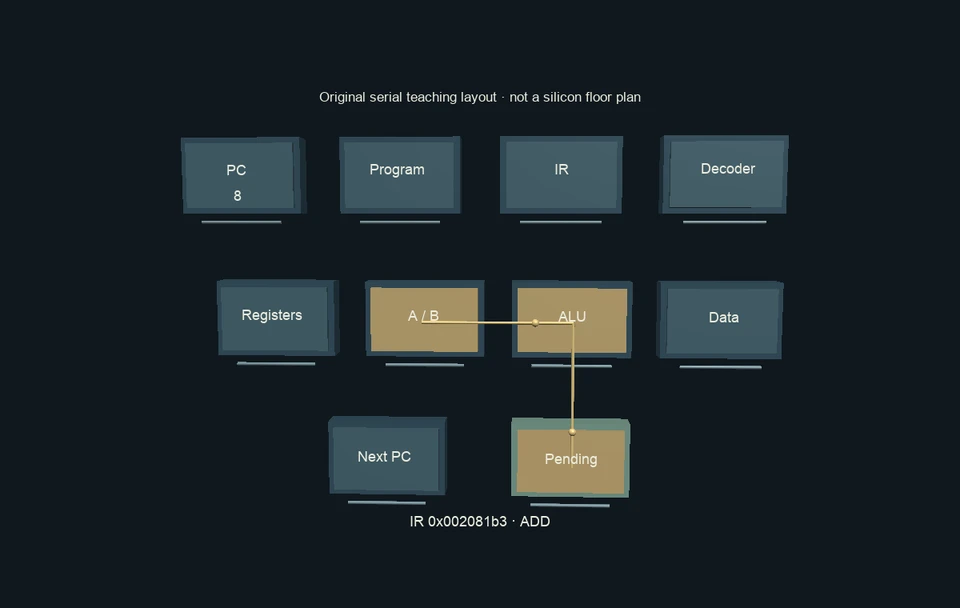
Write a tiny real assembly program, watch values move through a processor’s logical parts, and stop at the instant an answer becomes stored state.